
Replying to emails from VanMan
Reply to a captured customer email from the job's Messages tab, without opening your inbox.
Once an email is captured onto a job, you can reply to it without leaving VanMan — and your reply is sent from the connected inbox, so the customer sees a normal reply from your business address.
Finding the reply
Open the job and its Messages tab. Captured emails show with a mail icon.
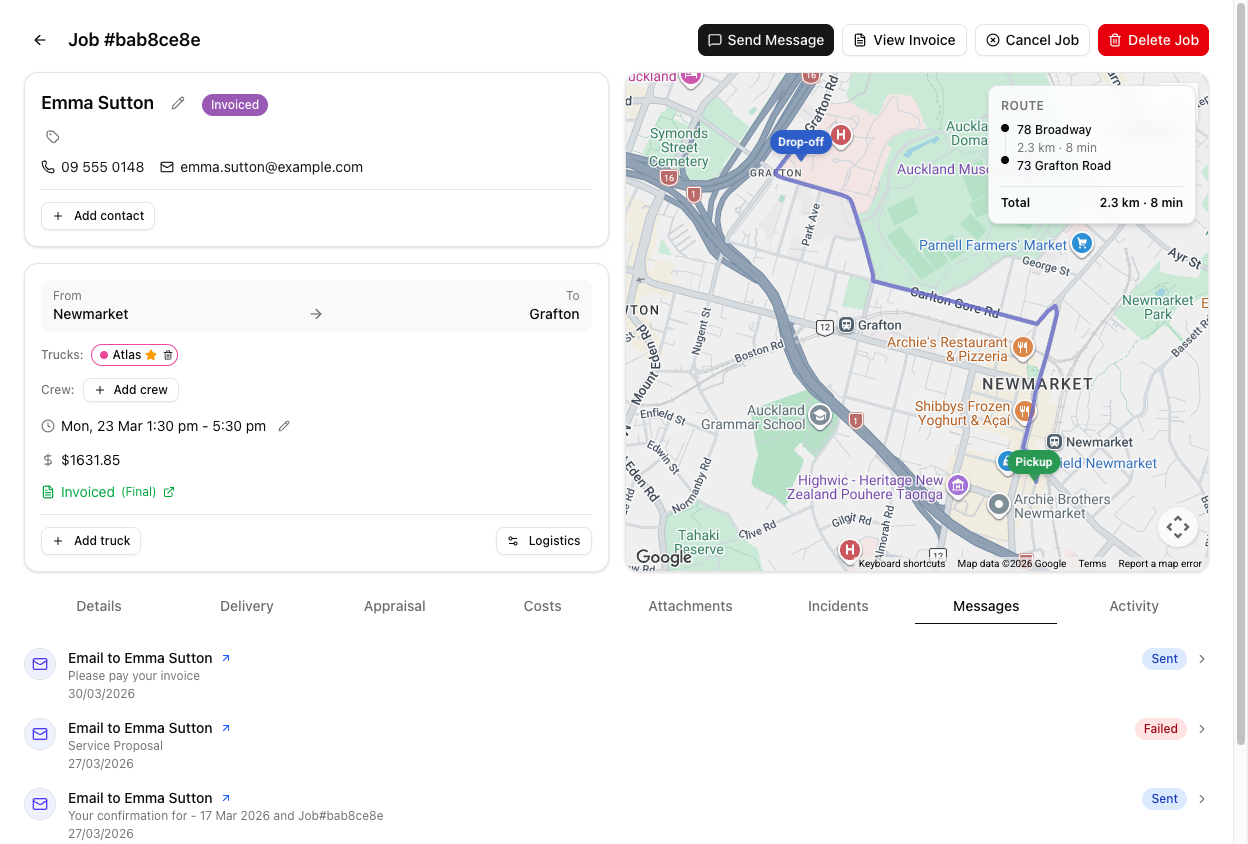
You have to click the email to expand it first. The Reply button lives inside the expanded view, not on the collapsed row. If you cannot see a Reply button, the message is still collapsed — click it open.
The Reply button appears on emails that carry a thread — which captured, matched emails do. A plain SMS or an old email without a thread will not offer one.
The reply drawer
Clicking Reply opens a panel titled Reply via Gmail or Reply via Outlook, depending on which inbox is connected. It has:
- A To and a Subject (pre-filled as
Re: …, keeping the job number so the thread stays matched). - A rich-text body — bold, italic, lists, and an HTML-source toggle.
- The original message quoted below your compose area.
Write your reply and click Send Reply. Sending needs the messaging permission.
If you are on Outlook, your reply may arrive as a new email on the customer's side rather than threading into the original conversation. It still reaches them and is still recorded on the job. Gmail threads cleanly. See Gmail vs Outlook.
Why reply from here rather than your inbox
Replying from VanMan records the reply on the job and keeps the whole exchange in one place. If you reply from Gmail or Outlook directly, that outbound email is not captured back onto the job — only inbound inbox mail is watched. So the Messages tab is the reply route that keeps the job's history complete.
Tutorial: answer a customer's question on the thread
A customer replied to their booking confirmation asking about parking, and it filed onto the job.
Go to the job and click Messages. The customer's inbound email is there because its subject still carried the job number.
Click the message to expand it. Only now does the Reply button appear — it is not on the collapsed row. Read their full question in the expanded view.
Click Reply. The drawer opens as Reply via Gmail (or Outlook), with To and a Re: Subject already filled — and the job number preserved in that subject, which is what keeps your reply on the thread.
Answer the parking question in the body. Do not strip the job number out of the subject — that code is what keeps this reply matched to the job. Leave the Re: line as it is.
Click Send Reply. It goes from your connected business inbox, so the customer sees a normal reply — and crucially, because you sent it from here, it is recorded on the job.
On Outlook, do not be surprised if the customer says your reply arrived as a fresh email rather than in the thread. It reached them and it is on the job — the threading quirk is Outlook's, not a failure to send.
The reply now shows as an outbound email on the Messages tab. The job's history holds the full exchange — their question and your answer — which is exactly why replying from here beats replying from your inbox.