
Sending invoices from mobile
Send a job's invoice from the Tally screen by SMS, email, or to the office.
You can send a job's invoice straight from the app before you leave site.
Where it is
From the job detail, tap the Tally & payment strip to open the Tally screen, and find the Send invoice section.
There is no "Create invoice" button and no review/preview screen on the app. You do not build or check the invoice on your phone. The Send invoice section is a set of chips that send it directly — the invoice itself is assembled from the job's costs by the system.
Sending
Tap the delivery method: SMS, Email, or Office. A "Send invoice via ?" confirmation appears, and it sends.
- SMS / Email — sends the invoice to the customer.
- Office — routes it to the office rather than the customer, for when you'd rather they handle it.
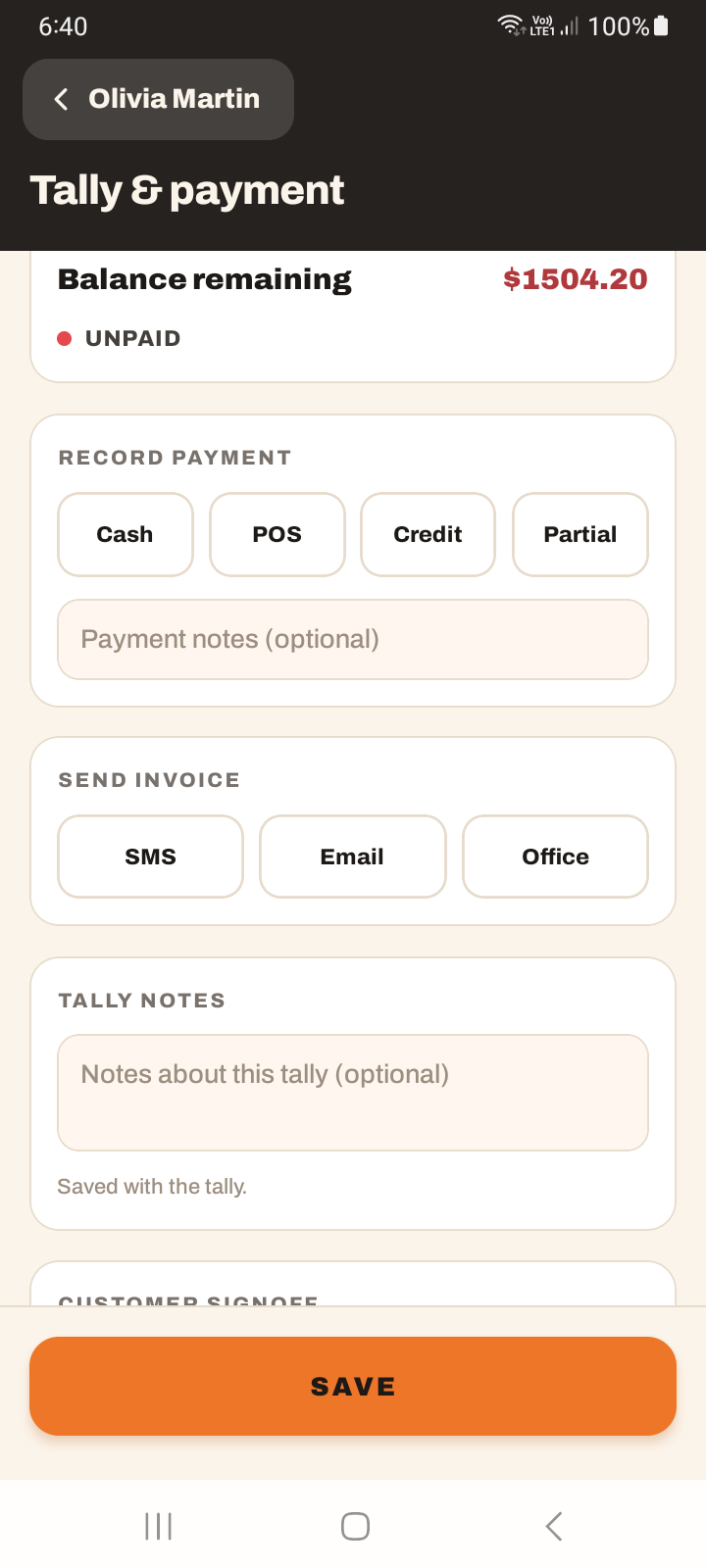
Send is disabled if the job total is $0, or if you're offline. A job with no costs has nothing to invoice, and sending needs a connection. Make sure the costs are on the job first — see logging notes and expenses and the Tally screen.
Tutorial: invoice a finished job on site
The job's done, the costs are in, and you want to invoice before driving off.
The invoice comes from the job's costs. If the total is $0 the Send invoice chips are disabled — there's nothing to bill. Make sure your time and any expenses are recorded before you try to send.
On the job, tap the Tally & payment strip, and scroll to Send invoice.
Choose Email if you have the customer's address, SMS if you have their mobile, or Office if you'd rather the office send it. There's no preview to check first — the system builds it from the costs.
Tap through the "Send invoice via ?" prompt. It sends. That's the whole flow — no "create", no "review".
Chips greyed out? Either the total is $0 (add the costs) or you're offline (get signal). Both disable sending.
Sending the invoice isn't recording payment. If they paid you on the spot, do that in the Record payment section too. See recording payments on mobile.