
Using the app with no signal
What genuinely works offline — reading jobs, notes, expenses — and what needs a connection.
Moving jobs happen in basements, lifts, and dead zones. The app handles being offline — but it's important to know which actions genuinely work offline and which don't, because they are not all the same.
What you can read offline
The app prefetches a rolling three-day window — yesterday, today, and tomorrow — including job details and costs. So you can open your jobs, read the addresses, notes, and access details, and see your day, with no signal. Today's job attachments are cached too (older days' files are not).
What you can do offline
A handful of actions genuinely work offline and queue to sync when you reconnect:
- Notes on the delivery log
- Expenses
- Pauses (and resumes)
- Adding and editing crew
Do these freely in a dead zone — they'll catch up when you're back in range.
What needs a connection
The main job actions are disabled offline — not queued. These need a live connection:
- Start and Finish delivery (the timer relies on the server clock)
- Recording a payment
- Sending an invoice
- Capturing a signature
- Saving the tally
Watch out for the button labels: a control may read "START DELIVERY (offline)" or "SAVE (offline)", but while you're offline it is disabled — tapping does nothing. The "(offline)" label is a warning, not a promise that it'll queue.
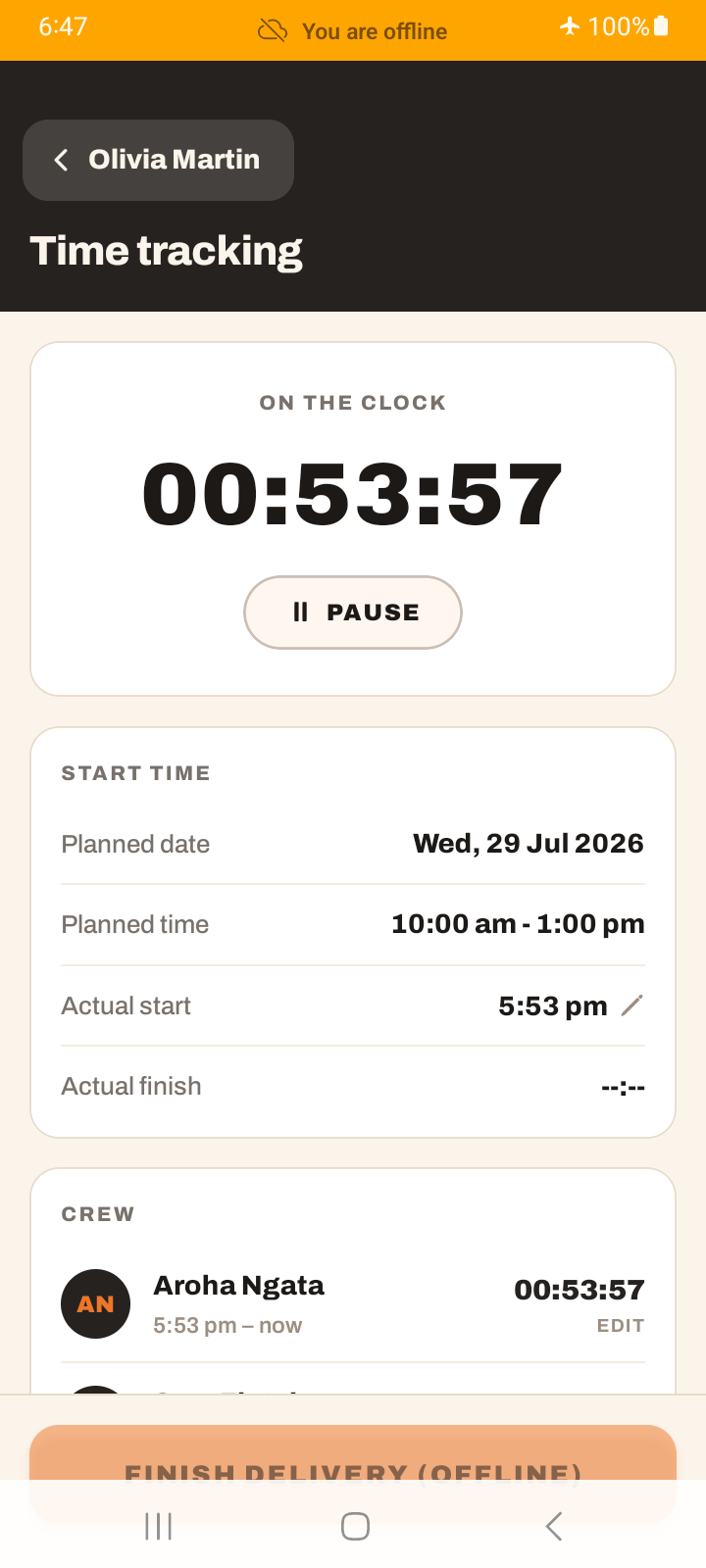
So the honest picture: offline is great for reading your work and for notes / expenses / pauses / crew. But you cannot start or finish a job, take a payment, send an invoice, or get a signature until you have signal.
The offline banner
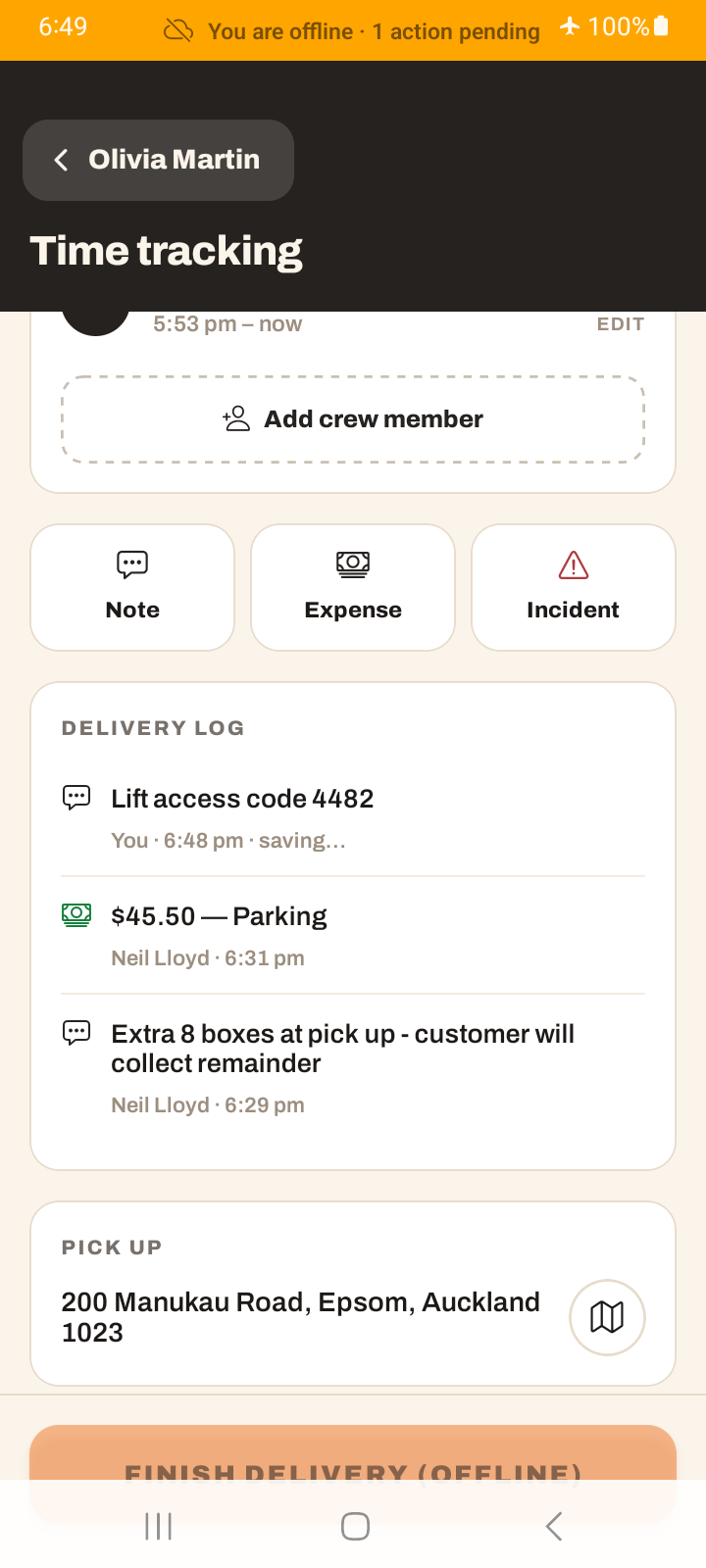
When you're offline the app shows a banner — "You are offline · N actions pending" — so you know your queued notes and expenses are waiting to sync.
Tutorial: work a basement job with no signal
You're moving someone out of a lift-only apartment with no reception inside.
Signal in the lobby, none upstairs? Tap ▶ Start while you still have bars. Start and Finish need a connection — start the job before you lose signal, not after.
Upstairs with no signal, you can still open the job and read the access notes, the item list, and the addresses — they were prefetched. The app doesn't go blank when you lose signal.
Paid for parking? Log the expense. Customer flagged a scratch already there? Add a note. These queue offline and sync later — do them on the spot rather than trying to remember.
Stopping for a bit? Pause works offline and queues. The break gets recorded even with no signal.
You can't tap Finish, take a payment, or send the invoice with no signal — those are disabled, and the "(offline)" label doesn't change that. Leave them until you're back in range.
Back downstairs with signal, tap Finish, get the signature, record the payment, and send the invoice. Your queued notes and expenses sync at the same time — watch the offline banner's pending count drop to zero.